


Steak 'n Shake
4.55.35K Reviews
App Specs
- Version
- 4.9.0
- Updated On
- License
- Free
- Downloads
- 1,000,000+
- Developer
- Steak 'n Shake Enterprises
- Categories
- Food & Drink
- Platform
- Android, iOS
Screenshots
 Analysis by AppCompare
I think a restaurant app earns its place on my phone when it solves a specific problem: it helps me decide what to order, get that order to the right place, and avoid unnecessary waiting or confusion. Steak 'n Shake’s app is built around those practical moments rather than trying to be a general food guide. If I already want a steakburger or shake, placing an order ahead and earning points can make the visit easier. If I’m still choosing where to eat, its usefulness is narrower.
Best when you already know the craving
The app makes the most sense for someone who visits Steak 'n Shake often enough to have a usual order, or who wants to arrange a meal before reaching the restaurant. Its central appeal is convenience tied to one chain: I can plan a pickup, delivery, or Car Hop order and use the rewards program along the way. That focus is helpful when I know what I want, but it won’t replace a multi-restaurant delivery app when I’m comparing several nearby places.
A realistic use is a busy lunch break. I can decide what I want before leaving, place the order while I’m still at work, and choose the available handoff that suits the stop. The important habit is to check the selected location and fulfillment option before submitting. That small pause matters more than shaving off another few seconds: a carefully checked order is more useful than a quick one sent to the wrong branch or prepared for a different kind of pickup.
Choosing between pickup, delivery, and Car Hop
These options serve different routines, so I wouldn’t treat them as interchangeable buttons. Pickup fits a trip I’m already making past a restaurant. Delivery is more convenient when I’m staying put, though it gives me less direct control over the final handoff. Car Hop is worth considering when that option is available and I’d rather receive the order at the restaurant without following the usual pickup routine. The best choice depends on where I am, how much time I have, and what the selected location can offer.
Before placing an order, I’d review the location, the order details, and the chosen handoff together. For a group meal, I’d also make sure everyone’s changes are represented in the cart before checkout; customizations are only useful if they are attached to the correct item. If plans change, I would not assume the app can revise an order after it has been sent. It is safer to check carefully before confirming than to count on last-minute edits.
Rewards are a bonus, not the whole reason to order
The points feature can make repeat visits more rewarding, but I’d think of it as a perk attached to food I already planned to buy, not as a reason to add something I don’t need. When I’m ordering, I’d make sure I’m signed into the account I want associated with the purchase and look at any rewards or offers shown in the app before I submit. That simple routine helps me avoid overlooking a benefit, while keeping the decision about what to eat separate from the temptation to spend more.
Deals can also change what looks like the sensible choice, but I wouldn’t build a meal around an offer until I’ve checked its terms in the app. A promotion may apply only to particular items or ordering circumstances. If the offer fits what I wanted anyway, it is a welcome saving; if it pushes me toward a less suitable order, the convenience is not much of a win. For a first visit, I’d browse the menu and offers before starting checkout rather than rush through the first screen.
Worth Reading Before You Choose

EA SPORTS FC Mobile 26 Is a Bigger Football Game, but It Takes Time

Flipboard Shows What News Apps Must Do Beyond the Feed

Switching to Android Auto Means Rethinking Your Driving Routine

Google Calendar Makes a Crowded Week Easier to Manage

Ludo King Makes the Most of the Minutes Between Plans

Baby Panda World Brings Quick Play to Modern Phones, but Its Game Library Feels Busy
Where a restaurant app can fall short
A chain-specific app naturally has a smaller scope than a broad delivery service. It is useful for Steak 'n Shake orders, but it is not the place I’d go to weigh up menus across restaurants or plan a meal from several businesses. Availability can also depend on the location and the ordering option offered there, so I’d confirm what is actually selectable before making a plan around it. If I need a particular handoff or a wider choice of restaurants, another service—or ordering directly in person—may suit me better.
There is also a trade-off between ordering ahead and deciding face to face. Ordering in the app is convenient when I’m confident about my choices, but a quick in-person conversation can be easier if I have a complicated request or want to clarify something before paying. I would use the app for a familiar order and take more care with unfamiliar menu choices, especially when ordering for someone else. The app helps organize the purchase; it doesn’t remove the need to check that the meal fits the people eating it.
What its version history does—and doesn’t—tell me
Steak 'n Shake Enterprises developed the app, which has been available since November 6, 2012, and its current version is 4.9.0. That long run and the present version suggest a product that has continued to be maintained, but they do not tell me exactly which screens or workflows changed over time. I’d judge the current experience by whether ordering, rewards, and the available handoff choices work smoothly for my own routine rather than assume a particular update introduced a feature.
For someone already using it, the practical question is whether the current version on their device still makes a familiar order easy to repeat. If an update changes the way a screen is arranged, I’d take a moment to recheck the selected location and order before checkout instead of relying on muscle memory. New users, meanwhile, can start with a simple pickup order and explore the other options once they know how their local restaurant handles app orders. Expectations about future changes are just that: expectations, not a reason to depend on a feature that is not available in the app today.
Who should install it, and who can skip it
I’d recommend it to regular customers, people who like to plan a meal before arriving, and anyone who expects to use the points program over repeat visits. The app is free, rated for Everyone, and sits in the food-and-drink category. Its average rating is 4.5 from around 13,000 ratings, with about 5,300 written reviews and over one million installs. Those figures suggest an established audience, though they can’t predict whether a particular restaurant or ordering workflow will suit me.
I’d be less likely to install it if I visit only once, prefer to browse several restaurant menus in one place, or usually decide what to eat after arriving. In those cases, the app may be one more account and ordering flow for a benefit I rarely use. It is also not a substitute for checking the order details myself: rewards and advance ordering are helpful, but they don’t guarantee that every location offers every handoff at every moment.
Getting Started with the App
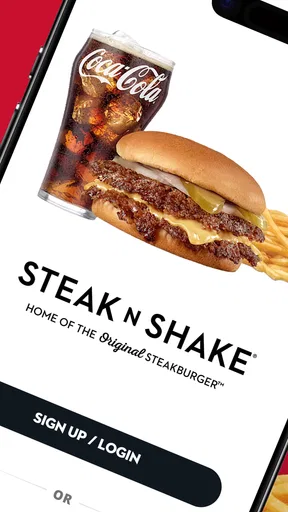
First things first, downloading the Steak 'n Shake app is a breeze. It’s available for both Android and iOS, so no matter your device, you’re covered. Once installed, I was greeted by a sleek and user-friendly interface that immediately made me hungry. The app is designed to get you what you want quickly and efficiently, which I appreciated.
User Interface and Navigation
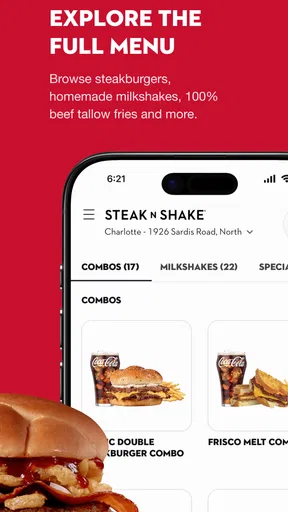
The app’s layout is intuitive, with large buttons and clear categories. Whether you’re looking to place an order, find nutritional info, or check out the latest deals, everything is just a tap away. I especially liked the search function, which made it easy to find my favorite menu items without scrolling endlessly.
Features That Make It Shine
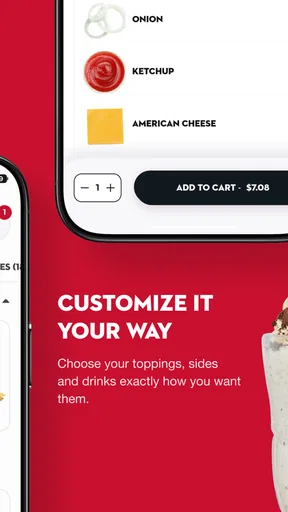
One of the standout features is the mobile ordering system. You can customize your order down to the last detail, ensuring you get exactly what you want. Want extra cheese on your burger? No problem. Prefer a different shake flavor? You got it. Once your order is ready, a quick notification lets you know it's time to pick up your feast.
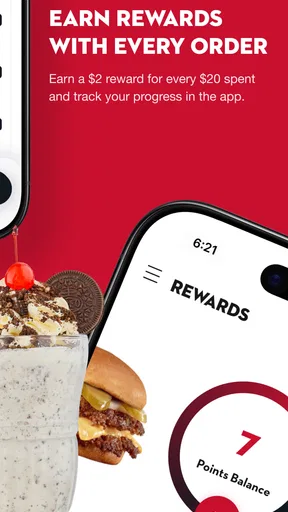
Another feature worth mentioning is the app’s integrated rewards program. Every dollar you spend earns you points, which can be redeemed for free food. Who doesn’t love getting rewarded just for eating delicious burgers?
Deals and Offers
The app is also your gateway to exclusive deals and offers. There’s always something new popping up, whether it’s a discount on your favorite meal or a special promotion for app users. I found this aspect particularly appealing because who doesn’t like saving a few bucks?
Finding a Location
Need to find the nearest Steak 'n Shake? The app’s location feature uses GPS to guide you to the closest branch. This is super handy when you’re in a new area and need to get your burger fix. Just tap on ‘Find a Location’ and let the app do the work.
Customizing Your Experience
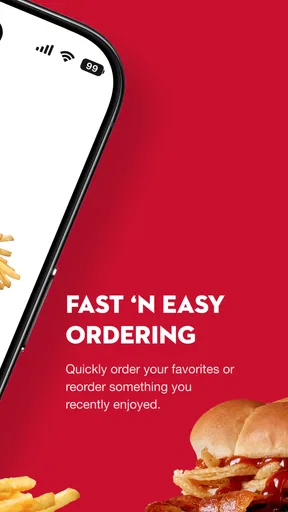
One of my favorite aspects of the app is the ability to save your favorite orders. If you’re like me and often get the same thing every time, this feature is a game-changer. With a single tap, you can reorder your usual, making the process even faster and more convenient.
Wrap-Up Thoughts
After spending some quality time with the app, it's clear that Steak 'n Shake has created a comprehensive tool for fans of their food. It’s not just about convenience; it’s about enhancing the overall dining experience. From easy ordering and personalization to rewards and offers, this app truly has it all.
So, if you’re a fan of burgers and shakes and haven’t given the app a try yet, I’d say it’s time to download it and dive into a world of deliciousness. Trust me, your taste buds will thank you!
Pros
- User-friendly interface for easy navigation.
- Quick access to exclusive deals and offers.
- Efficient online ordering system.
- Customizable meal options available.
- Loyalty rewards program boosts savings.
Cons
- Limited delivery areas restrict service.
- Occasional app crashes hinder experience.
- Payment options could be more diverse.
- Menu updates are sometimes delayed.
- Notifications can be overly frequent.
FAQs for Steak 'n Shake
What features does the Steak 'n Shake app offer?
The Steak 'n Shake app provides a seamless experience for ordering your favorite meals on the go. Users can explore the full menu, customize orders, and easily pay through the app. It also offers location services to find the nearest restaurant, exclusive deals, and a loyalty rewards program to earn points with every purchase.
How do I earn and redeem rewards through the app?
Earning rewards is simple with the Steak 'n Shake app. Every purchase made through the app earns you points, which can be accumulated over time. Once you've collected enough points, you can redeem them for free meals or discounts. The app keeps track of your points, making it easy to see when you're eligible for rewards.
Is the Steak 'n Shake app available on both Android and iOS?
Yes, the Steak 'n Shake app is available for both Android and iOS devices. You can download it from the Google Play Store for Android or the Apple App Store for iOS. The app is designed to be user-friendly and intuitive, ensuring a smooth experience across both platforms.
Can I customize my orders through the Steak 'n Shake app?
Absolutely! The app allows users to fully customize their orders to suit their preferences. Whether you want to add extra toppings, remove ingredients, or choose different sides, the app provides a variety of options to ensure your meal is exactly how you like it. Customization is straightforward and enhances the dining experience.
What should I do if I encounter issues with the app?
If you experience any problems with the Steak 'n Shake app, there are a few steps you can take. First, ensure your app is updated to the latest version. If issues persist, try restarting your device or reinstalling the app. For further assistance, the app provides a help section and contact information for customer support.


